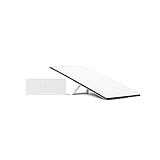
Attack Shark X68HE Pro Review: Hall Effect Speed for Serious Gamers
Robert Thackeray 24 Oct 2026 10 min read ASIN B0F1N2KMPN
This product against the Electronics median
| Figure | This product | Category median | Where it sits |
|---|---|---|---|
| Our score Our score, out of 10. | 9.2/10 | 8.8/10 n=81 | 5% higher than the median |
| Spec fields published How many attributes the seller fills in on the listing. | 3 | 6.0 n=82 | 50% fewer than the median |
Medians are taken across the 82 published reviews in Electronics; n on each row is how many of them publish that figure. The notch on every bar marks the median, so a fill reaching past the notch sits above it. Scores are out of 10, based on listed specifications and buyer feedback.

- Brand
- Mambasnake
- Our score
- 9.2/10
- Spec fields
- 3 attributes on the listing
As Amazon Associates, we earn from qualifying purchases. This means we may receive a small commission at no extra cost to you if you click through and make a purchase.
Serious competitive players seeking an edge in tactical shooters often reach a hardware bottleneck with traditional mechanical switches. The Attack Shark X68HE Pro addresses that exact latency ceiling by deploying analog Hall Effect amber magnetic switches alongside an 8000Hz wired polling rate. If you have been researching whether this rapid-trigger peripheral combo can deliver genuine input superiority without forcing you through bloated desktop software, this package proves its worth right out of the gate. Offering adjustable actuation depths from 0.1mm to 3.4mm with 0.01mm sensitivity, it serves the precise demands of players who prioritize lightning-quick counter-strafing and zero dead-zone responsiveness.
Beyond the keyboard itself, this release arrives as an all-inclusive desktop solution paired with the lightweight X11 wireless gaming mouse and an RGB magnetic charging base. In this comprehensive Attack Shark X68HE review, we break down the magnetic switch mechanics, the tangible impact of an 8K polling rate, tri-mode wireless flexibility, configuration through web-based drivers, and whether this high-speed bundle earns a permanent spot on your esports desk.
What You Get With the Attack Shark X68HE Pro 140 words

The Attack Shark X68HE Pro arrives as a complete peripheral solution designed by MAMBASNAKE to eliminate latency across both of your primary input devices simultaneously. The package centers around the compact 60 percent magnetic switch keyboard and the accompanying X11 wireless pointer, complete with dedicated charging hardware.
- Attack Shark X68HE Pro rapid trigger wireless gaming keyboard in Black Line colorway
- Hall Effect amber magnetic switches with zero dead zone engineering
- X11 wireless gaming mouse featuring a PixArt 3311 optical sensor and 22,000 DPI
- Magnetic fast charging dock for the mouse with integrated RGB lighting and USB passthrough
- Detachable USB-C data and charging cable for high-speed wired connectivity
- 2.4GHz wireless receiver and Bluetooth connectivity hardware for multi-device pairing
- Integrated 5000mAh rechargeable keyboard battery for extended wireless gameplay
- Access to the QMK web-based configuration driver for driverless customization
Key Specifications 119 words
Feature Specification Details
- Brand
- MAMBASNAKE
- Switch Technology
- Hall Effect Amber Magnetic Switches
- Actuation Travel Range
- 0.1mm to 3.4mm (Adjustable in 0.01mm increments)
- Keyboard Polling Rate
- 8000Hz (Wired Mode) / 1000Hz (Wireless Mode)
- Scan Rate and Latency
- 128KHz scan rate with 0.125ms input transmission
- Keyboard Battery Capacity
- 5000mAh rechargeable lithium-ion cell
- Connectivity Options
- Wired USB-C, 2.4GHz Wireless, and Bluetooth
- Mouse Sensor and Acceleration
- PixArt 3311 sensor, up to 22,000 DPI, 35G acceleration
- Mouse Switch Lifespan
- Rated for up to 20 million clicks
- Mouse Charging and Battery
- Magnetic charging base; 65 hours runtime (5 hours from a 10-minute charge)
- Platform Compatibility
- Personal Computer and Laptop (Windows and Mac supported)
Fields the seller filled in on the Amazon listing (3)
- Color
- Black Line
- Weight
- 3.30693393 pounds
- Product Group
- Personal Computer
Rapid Trigger Mechanics and Magnetic Switch Accuracy 258 words
Traditional mechanical keyboards rely on metal contact leaves that require a fixed reset distance before a switch can register a subsequent input. The Attack Shark X68HE Pro Hall Effect design bypasses physical contacts altogether, utilizing magnetic sensors to track switch stem location across its entire vertical travel distance. Because the amber magnetic switches monitor position rather than physical closure, the Attack Shark X68HE rapid trigger system allows a key to reset the instant your finger begins moving upward. You do not need to wait for the switch to rebound past a stationary reset bump, allowing instant micro-adjustments during rapid gameplay.
For players who spend hours grinding competitive shooters, the Attack Shark X68HE for FPS gaming introduces meaningful technical advantages during counter-strafing. The listing details continuous sensitivity adjustments between 0.1mm and 3.4mm, measured down to 0.01mm precision increments. In practice, you can set your directional keys to initiate input at the lightest brush of a keycap and release immediately when pressure eases. Gamers who have experimented with earlier Hall Effect devices like the attack shark x68 he know that eliminating dead zones directly converts finger mechanics into clean, immediate character stops on screen.
Beyond rapid triggering, having analog depth monitoring eliminates the debounce delay required by physical contact switches to prevent accidental double-clicks. Because magnetic fields produce clean, continuous electrical signals, the switch controller processes inputs instantaneously. The Attack Shark X68HE magnetic switches remain steady across extended sessions, giving players consistent actuation points that never degrade from contact leaf oxidation or physical wear over time.
Esports Responsiveness with 8000Hz Wired Polling Rate 251 words
Competitive hardware performance lives and dies by signal frequency, and the Attack Shark X68HE 8K polling rate provides eight times the data transmission speed of conventional 1000Hz gaming peripherals. When connected via its USB-C cable, the keyboard queries switch positions eight thousand times every single second. Paired with an internal 128KHz scan rate, the keyboard drops input latency down to a verified 0.125ms, ensuring your physical keystrokes match up cleanly with fast refresh rate gaming monitors.
The immediate consequence of higher polling is consistency in frame delivery and input pacing. On standard 1000Hz keyboards, an input can theoretically wait up to a full millisecond to be sent during a reporting cycle. At 8000Hz, that delay drops to a fraction of a millisecond, narrowing the timing delta between human reaction and game engine registration. While higher polling places a modest processing requirement on your system CPU, modern multi-core personal computers and laptops handle the high transmission rate without hitching or dropping frames in modern esports titles.
It is important to understand how connection modes impact data transfer on this unit. While the wired USB connection unlocks the full 8000Hz ceiling, switching to 2.4GHz wireless operation shifts the device to a reliable 1000Hz polling rate. This drop is standard across high-speed wireless peripherals to conserve battery power and preserve signal integrity. The Attack Shark X68HE specs demonstrate that even in wireless mode, the keyboard remains fully competitive with standard esports peripherals, reserving the hyper-speed 8K mode for dedicated wired tournament sessions.
Tri-Mode Wireless Connectivity and Power Management 212 words
Desk ergonomics often favor cable-free layouts, and the Attack Shark X68HE Pro satisfies that preference with robust tri-mode functionality. You can quickly alternate between wired USB-C, low-latency 2.4GHz wireless, and Bluetooth connectivity depending on your workspace setup. The inclusion of Bluetooth makes it simple to move the keyboard between a primary gaming rig and a secondary productivity laptop or Mac without unplugging dongles or routing additional cables across your desk.
Powering wireless operations is a massive 5000mAh built-in battery, which stands out as substantially larger than the cells found in many lightweight mechanical boards. Wireless keyboards with dense RGB backlighting can deplete standard batteries in a matter of hours, but the 5000mAh reserve on this unit provides substantial headroom for extended gaming marathons. The board also features 20 plus lighting modes across 9 distinct colors, giving you the choice between vivid desk illumination or maximizing your wireless operating time by lowering brightness.
Configuration management is handled efficiently through a modern QMK web driver, completely bypassing the need to install invasive proprietary background software. Enthusiasts using high-performance mice such as the attack shark x3 max often appreciate streamlined setups, and being able to access lighting, key remapping, and magnetic actuation depths through a browser window keeps system memory entirely free for your game client.
Evaluating the Bundled X11 Mouse and Magnetic Dock 235 words
Rather than providing a keyboard in isolation, the Attack Shark X68HE bundle with X11 mouse delivers a matched dual-peripheral setup. The included X11 mouse is equipped with a PixArt 3311 optical sensor, offering sensitivity up to 22,000 DPI across six selectable levels. With a tracking capability of 35G acceleration and a 1000Hz four-speed adjustable polling rate, the pointer provides reliable tracking stability for twitch aim adjustments and tracking targets across large desk pads.
Durability is anchored by mechanical switches rated for 20 million clicks, providing crisp tactile feedback that resists switch failure. Like the keyboard, the X11 mouse supports versatile tri-mode wireless operation, allowing you to use it with the 2.4GHz wireless receiver or Bluetooth. Players who follow competitive peripheral lines like the mouse shark attack x6 will appreciate that the bundled X11 does not feel like an afterthought, holding its own as an agile companion to the magnetic keyboard.
A key highlight of the mouse package is the dedicated magnetic fast-charging base. The dock features an integrated USB interface, meaning the single charging dock doubles as a desk receiver station to save valuable motherboard ports. When power runs low, a 10-minute drop onto the magnetic cradle yields up to 5 hours of gameplay, while a full charge supplies up to 65 hours of continuous runtime. Accented with RGB lighting along the base, the dock keeps the mouse charged and ready without wrestling with loose cables between gaming sessions.
Attack Shark X68HE Pro Pros and Cons 56 words
Pros
Pros
- Adjustable 0.1mm to 3.4mm magnetic switch actuation
- Ultra-responsive 8000Hz wired polling rate
- Zero-install customization via QMK web driver
- Bundled X11 mouse with magnetic RGB charging dock
- Substantial 5000mAh keyboard battery capacity
Cons
- 8000Hz polling rate restricted to wired mode
- Compact 60 percent layout lacks dedicated arrow cluster
- Mouse optical sensor limited to PixArt 3311
Is the Attack Shark X68HE Pro Worth It 209 words
Determining if the Attack Shark X68HE Pro is worth it comes down to what you prioritize in your gaming hardware. If your primary focus is competitive first-person shooters, the performance advantages of magnetic switch actuation cannot be overstated. Being able to fine-tune actuation down to 0.1mm and utilize rapid trigger resets gives you an undeniable mechanical edge in movement-heavy titles, making this combo an exceptional package for players seeking top-tier analog tech without purchasing two separate items.
Budget-conscious players who want a cohesive setup will find tremendous value in this bundle. Sourcing an 8000Hz Hall Effect keyboard, a 22,000 DPI gaming mouse, and a dedicated magnetic RGB charging dock separately typically requires dealing with conflicting software ecosystems and multiple cables. Having both devices managed cleanly, with the keyboard utilizing an intuitive web driver, keeps your desktop streamlined and high-performing.
However, if you do not play fast-paced action games and spend the majority of your time writing prose or managing spreadsheets, the aggressive hypersensitivity of Hall Effect switches might feel unnecessary. The compact 60 percent layout also drops the dedicated arrow cluster and numeric keypad, which productivity users might miss. For competitive gamers and enthusiasts wanting bleeding-edge input speeds, the X68HE Pro delivers real performance that matches its esports ambitions.
Other Options to Consider 114 words
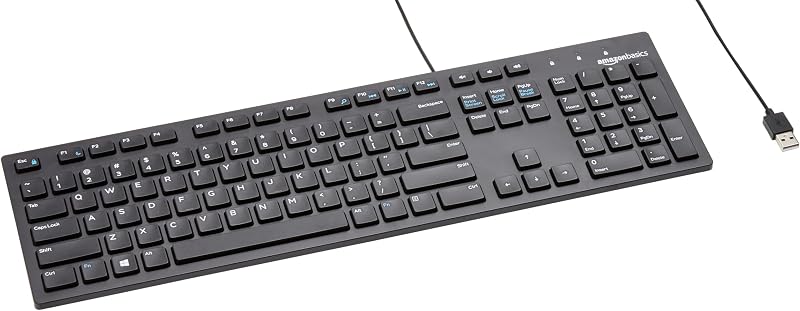
Amazon Basics Wired QWERTY Keyboard suits office workers and general desktop users who want a simple, full-sized layout with dedicated media controls and a hassle-free plug-and-play USB connection, prioritizing everyday typing familiarity over gaming-specific magnetic switches.
Full size keyboard with spill-resistant suits hybrid home-office users who need a spill-resistant full-size keyboard and ambidextrous mouse combo connected through a single USB-A nano receiver, trading rapid trigger sensitivity for reliable wireless durability.
Creamy Computer Keyboard for PC suits typists and casual gamers looking for a quiet 68-key membrane board with sound-dampened acoustics, carbon fiber style keycaps, and a 2000mAh battery rather than competitive 8000Hz esports actuation.

FAQ 266 words
How does rapid trigger work on the Attack Shark X68HE Pro?
The keyboard uses Hall Effect amber magnetic switches that track the continuous physical position of the key stem. Instead of requiring the key to pass a fixed mechanical reset point, rapid trigger resets the keystroke the instant you lift your finger by as little as 0.01mm, allowing immediate re-actuation for faster in-game movement.
Do I need to install background software to customize the keyboard?
No, the Attack Shark X68HE Pro utilizes a QMK web driver that runs directly in your web browser. You can configure individual switch actuation depths, customize RGB lighting modes, and remap keys without downloading heavy desktop utility programs to your storage drive.
Does the 8000Hz polling rate work over wireless connections?
The 8000Hz polling rate and 0.125ms input transmission speed are exclusive to the wired USB-C connection mode. When operating via 2.4GHz wireless, the keyboard operates at a standard 1000Hz polling rate with a 128KHz scan rate to ensure stable wireless battery life.
How long does the bundled X11 mouse battery last?
On a single full charge, the X11 mouse provides up to 65 hours of continuous gameplay. If the battery runs low during an active session, placing the mouse onto its included magnetic charging base for just 10 minutes provides roughly 5 hours of playtime.
Can I use the Attack Shark X68HE Pro on both PC and Mac?
Yes, the listing confirms compatibility across personal computers and laptops running both Windows and Mac operating systems. The keyboard connects seamlessly across both platforms using wired USB-C, 2.4GHz wireless, or Bluetooth connections.
The other listings this review names
-

9.6/10 Our score 6 spec fields
-

Logitech MK270 Full Size Wireless Keyboard and Mouse Combo - Black
8.0/10 Our score 6 spec fields
-

MechLands Halo68 Silent Wireless Gaming Keyboard w/Light Box, 68 Keys
8.6/10 Our score 2 spec fields