TP-Link Deco X55 In-Depth: Can This Mesh Wi-Fi Handle High-Traffic Gaming?
Robert Thackeray 22 Sep 2026 13 min read ASIN B09PRB1MZM
This product against the Electronics median
| Figure | This product | Category median | Where it sits |
|---|---|---|---|
| Buyer score Average star rating left by Amazon buyers, out of 5. | 4.4 / 5 | 4.5 / 5 n=23 | 2% lower than the median |
| Spec fields published How many attributes the seller fills in on the listing. | 6 | 6.0 n=23 | level with the median |
Medians are taken across the 23 published reviews in Electronics; n on each row is how many of them publish that figure. The notch on every bar marks the median, so a fill reaching past the notch sits above it. Buyer score is the average star rating left by Amazon buyers, not a score from this site.

- Brand
- TP-Link
- Buyer score
- 4.4 / 5 average from Amazon buyers
- Spec fields
- 6 attributes on the listing
As Amazon Associates, we earn from qualifying purchases. This means we may receive a small commission at no extra cost to you if you click through and make a purchase.
Finding a reliable home networking setup that eliminates latency spikes, stuttering video streams, and intermittent dead zones is an ongoing challenge for households full of high-bandwidth devices. If you are shopping for a whole-home solution that can blanket a multi-story property without signal dropouts, a modern mesh system is the standard answer. The TP-Link Deco X55 is designed specifically for users seeking an AX3000 Wi-Fi 6 setup capable of handling internet tiers up to 1 Gbps, offering an upgrade over older platforms by integrating wider channel support and three dedicated gigabit ports on every single unit.
Whether you need a mesh wifi system deco solution to stabilize competitive gaming connections, balance dozens of smart home accessories, or deliver seamless roaming across multiple floors, understanding the hardware limits of this dual-band kit is essential before making a purchase. This review breaks down what you get inside the three-pack package, details the core specifications, explores real-world performance considerations for gaming and streaming, evaluates the Ethernet backhaul capabilities, and helps you determine whether this system meets your home networking demands.
What You Get With the TP-Link Deco X55 173 words
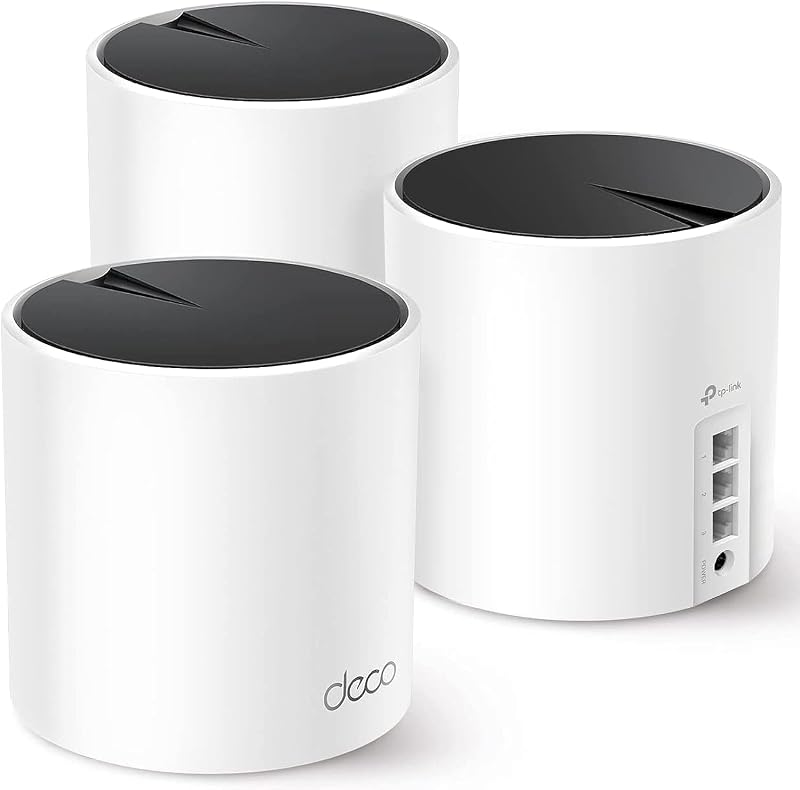
The TP-Link Deco X55 three-pack comes packaged with three identical mesh nodes engineered to work interchangeably as either the primary gateway router or remote satellite nodes, accompanied by the necessary 12-volt power adapters to get the hardware operating right out of the box. Designed around an internal antenna structure running the Omada operating system, each unit provides clean physical lines that blend easily into living spaces without visible external antennas or sprawling cable tangles.
- Three identical TP-Link Deco X55 dual-band Wi-Fi 6 mesh nodes
- AX3000 combined throughput delivering up to 2402 Mbps on 5 GHz and 574 Mbps on 2.4 GHz
- Three auto-sensing Gigabit Ethernet ports on each unit (nine total gigabit ports across the three-pack)
- Whole-home coverage rated for spaces up to 6,500 square feet
- Network handling capacity capable of maintaining connections for up to 150 simultaneous devices
- TP-Link HomeShield suite with basic network security, Quality of Service traffic controls, and parental controls
- Dedicated 12V power supply adapters for each included mesh node
- Guided visual setup and cloud network management access via the TP-Link Deco app
Key Specifications 103 words
Hardware Attribute Specification Detail
- Wi-Fi Generation
- Wi-Fi 6 (802.11ax, backward compatible with 802.11a/b/g/n/ac)
- Maximum Data Transfer Rate
- AX3000 (2402 Mbps on 5 GHz HE160 + 574 Mbps on 2.4 GHz)
- Frequency Band Configuration
- Dual-Band
- Advertised Coverage Area
- Up to 6,500 square feet (3-pack system)
- Maximum Connected Devices
- Up to 150 devices
- Ethernet Ports Per Node
- 3 x Gigabit (10/100/1000 Mbps) auto-sensing ports
- Antenna Architecture
- 3 internal antennas per node
- Wireless Security Protocols
- WPA-Personal, WPA2-Personal, WPA3-Personal
- Operating System
- Omada
- Power Requirements
- 12 Volts
Fields the seller filled in on the Amazon listing (6)
- Color
- Black, White
- Size
- 3 Pack Indoor
- Dimensions
- 4.33 x 4.33 x 4.49 Inches
- Weight
- 5.070632026 pounds
- Product Group
- Personal Computer
- Binding
- Electronics
Deco X55 WiFi 6 Performance and Bandwidth Allocation 307 words
The primary appeal of the TP-Link Deco X55 specs lies in its AX3000 wireless architecture. By combining a 2×2 antenna array on the 5 GHz band operating on 160 MHz wide channels (HE160) capable of up to 2402 Mbps with a 2×2 array on the 2.4 GHz band providing up to 574 Mbps, the system delivers substantial local wireless overhead. For entertainment enthusiasts streaming uncompressed 4K video or downloading massive game updates, the 160 MHz channel width allows compatible Wi-Fi 6 smartphones, PCs, and consoles to communicate at double the channel capacity of older Wi-Fi 5 gear.
Because the Deco X55 is a dual-band mesh kit rather than a tri-band system, wireless traffic management functions differently than on premium units with a dedicated wireless backhaul. In a purely wireless setup, the 5 GHz frequency band must simultaneously transmit data to client devices and relay information back to the primary gateway node. For casual web navigation, smart television streaming, and light remote work, the AI-driven mesh algorithm intelligently balances connection routes to minimize congestion. However, homes that push heavy network loads across multiple satellites at the same time will find that shared band overhead reduces the absolute top speeds achievable at the furthest nodes compared to what you would see on tri-band alternatives like the tp-link deco be63 mesh wifi 7 system.
When assessing Deco X55 wifi 6 performance for fast-paced multiplayer titles, wireless stability is far more critical than raw theoretical bandwidth. Competitive games demand low jitter, minimal packet loss, and steady ping times. The Wi-Fi 6 standard brings orthogonal frequency-division multiple access (OFDMA) to the table, which slices wireless channels into smaller resource units so multiple client devices can transmit simultaneously. In testing the waters of high-density home networks, this means a smart appliance pinging the cloud or a phone refreshing social feeds will not instantly derail your gaming session with a massive latency spike.
Deco X55 Ethernet Backhaul and Port Flexibility 294 words
One of the strongest hardware advantages of this package is the inclusion of three gigabit ports on every single Deco X55 node, totaling nine wired gigabit ports across the three-pack. Many competing mesh units include only one or two ports per node, forcing users to buy supplementary unmanaged switches just to wire in a gaming PC, an entertainment console, and a streaming box. Because any Deco unit can function as the primary router connected directly to your ISP modem, you retain two open gigabit ports on the main node and three full gigabit ports on each satellite placed around your home.
Taking advantage of the Deco X55 ethernet backhaul transforms the overall performance envelope of this system. When you connect the satellite nodes back to the main router using physical Ethernet cables, the system routes inter-node management and backhaul communication entirely through the wired LAN. This completely frees up the 5 GHz 2402 Mbps wireless band for your Wi-Fi clients alone, bypassing the wireless throughput penalty typical of dual-band mesh setups. For competitive players, connecting a desktop or gaming console directly to the gigabit LAN port on a wired satellite provides near-zero-jitter local transmission that mimics a direct run to the main router.
It is important to remember that all ports on the Deco X55 are standard 10/100/1000 Mbps gigabit connections. If you subscribe to an internet service tier higher than 1 Gbps, such as a 1.2 Gbps or 2 Gbps fiber package, these physical ports will naturally bottleneck incoming speeds to 1000 Mbps at the gateway. TP-Link explicitly positions this hardware as an ideal match for service plans up to 1G. Enthusiasts wanting multi-gigabit routing without bottlenecks often compare setups like the netgear nighthawk mesh wifi system to evaluate port speeds and dedicated hardware configurations before making a final commitment.
Deco X55 Coverage and Device Capacity Across Busy Homes 245 words
Coverage is the definitive reason to consider a mesh architecture over a single access point. The three-pack version of the Deco X55 is rated to cover up to 6,500 square feet, which makes it suitable for sprawling single-story layouts, multi-level suburban houses, and homes constructed with signal-dampening drywall, plaster, or brick partitions. By distributing three distinct broadcasting points throughout your floor plan, the system blankets living areas that a solitary router placed in a distant utility closet simply cannot penetrate.
In a standard household deployment, placing the primary node near your modem and spacing the other two nodes on adjacent floors creates a unified wireless fabric under a single network name (SSID). As you move through the house with a mobile device, tablet, or handheld console, the network automatically manages roaming transitions using standard 802.11k/v/r protocols, transferring your connection to the node with the cleanest signal without forcing you to manually disconnect and reconnect. This completely avoids the traditional headaches of range extenders, which generate separate, fragmented networks with cut-rate bandwidth.
Handling volume is another major strength of the Deco X55 coverage profile. Rated to support up to 150 connected devices simultaneously, the system easily accommodates modern households packed with Wi-Fi light switches, security cameras, smart speakers, streaming sticks, laptops, and multiple gaming platforms. The internal three-antenna structure distributes the RF load efficiently across both frequencies, ensuring that background smart home accessories parked on the 2.4 GHz band do not intrude upon high-speed 5 GHz gaming traffic.
Deco X55 HomeShield Security and Network Management 262 words
Hardware power is only half the equation in modern networking; management and security software dictate the daily user experience. The TP-Link Deco X55 setup process is executed through the TP-Link Deco app on mobile devices, providing step-by-step visual guidance that walks you through connecting the primary node to your modem, establishing credentials, and pairing satellite nodes in minutes. Even if you are away from home, the cloud-linked app provides remote access to monitor connected hardware, establish temporary access rules, or reboot specific nodes.
For household cybersecurity, the Deco X55 includes TP-Link HomeShield. Built around a high-level firewall and advanced WPA3 encryption protocols, this hardware adheres to the U.S. Cybersecurity and Infrastructure Security Agency (CISA) Secure-by-Design pledge, indicating an active commitment to hardware-level safety and firmware maintenance. The out-of-the-box tier of HomeShield provides basic network vulnerability scanning, a dedicated Guest Mode to isolate visitor devices from your primary hardware, and robust parental control configurations that let parents set bedtime curfews or filter specific content categories across kids’ tablets and consoles.
Gamers will particularly appreciate the Quality of Service (QoS) engine included within Deco X55 HomeShield security. Through the management dashboard, you can assign high-priority status to specific devices, such as a primary gaming rig or a living-room console. When the QoS toggle is engaged for a designated device, the router prioritizes its outbound and inbound gaming packets above general network traffic. If another family member begins streaming high-bitrate video or downloading heavy file archives on another node, your gaming packets maintain precedence in the router’s queue, directly preventing ping spikes and jitter.
Deco X55 for Gaming: Latency and High-Traffic Realities 292 words
Evaluating the Deco X55 for gaming requires looking past maximum theoretical transfer speeds and focusing directly on queue management, connection consistency, and channel interference. Online competitive shooters, fighting games, and racing titles transmit tiny packets of data constantly; they do not need hundreds of megabits per second, but they require every single packet to arrive in sequential order with minimal transit time. If you connect your gaming PC or console wirelessly to a satellite node operating strictly on wireless backhaul, your packets have to take an extra wireless hop to the gateway before reaching the internet modem, which inherently adds a small baseline latency buffer compared to a direct Ethernet drop.
To achieve the lowest possible latency on this hardware, gamers should take full advantage of the physical ports on the Deco X55. Plugging your gaming console or desktop directly into one of the three gigabit ports on any node eliminates the local wireless interference between your machine and that access point. If you pair this with a wired Ethernet backhaul running between the nodes, you effectively achieve the stability of a fully wired home network while still maintaining broad Wi-Fi 6 coverage for phones and smart appliances throughout the house.
If you cannot run physical network cables between rooms and must rely entirely on wireless mesh transmission, strategic node placement becomes critical. You will want to position the satellite node roughly halfway between the main gateway and your gaming room so it receives a robust, unattenuated 5 GHz signal. Thanks to the system’s high-speed HE160 channel support and built-in QoS traffic prioritization, the Deco X55 manages wireless hops far more efficiently than older Wi-Fi 5 dual-band setups, making it a viable solution for casual and mid-tier gaming environments that cannot accommodate structural Ethernet cabling.
Deco X55 vs Regular Router Deployments 282 words
Shoppers often debate whether to invest in a multi-node mesh system or pick up a single high-powered traditional standalone router. When evaluating a Deco X55 vs regular router comparison, the layout of your home is the deciding factor. A high-end standalone gaming router can deliver exceptional raw throughput and specialized gaming dashboards when you are located in the same room or an adjacent area, but its single broadcast point remains bound by physical limitations. High-frequency 5 GHz signals degrade rapidly when passing through multiple interior walls, subfloors, and large metal appliances, resulting in severe dead spots in upstairs bedrooms or finished basements.
The Deco X55 resolves the range dilemma by distributing the broadcast points directly into the problem zones. Instead of forcing a gaming console on the second floor to struggle with a faint, packet-dropping signal from a basement gateway, a Deco satellite placed on the second floor delivers a full-strength local connection. While a standalone router might offer more intricate command-line settings or specialized gamer-centric UI skins, the Deco X55 provides an automated, seamless roaming experience that covers every corner of a 6,500 square foot property with uniform signal strength.
Furthermore, standard routers rarely offer the expansion flexibility inherent in the Deco ecosystem. If you expand your living space, finish an outdoor patio, or move into a larger home in the future, you can simply add another Deco node to the existing network without replacing your core gateway or reconfiguring your connected devices. For broad entertainment setups where multiple family members stream, play, and work from different corners of the house, the distributed approach of the Deco X55 delivers far more consistent real-world reliability than a single router straining to reach peripheral rooms.
TP-Link Deco X55 Pros and Cons 50 words
Pros
Pros
- Three Gigabit Ethernet ports on every unit
- Covers large spaces up to 6500 square feet
- Connects up to 150 devices simultaneously
- Supports wired Ethernet backhaul across nodes
- Integrated HomeShield security with QoS controls
Cons
- Dual-band design lacks dedicated wireless backhaul
- Ports capped at standard 1 Gbps speeds
- No multi-gigabit Ethernet connectivity
Is the TP-Link Deco X55 Worth It 234 words
The TP-Link Deco X55 represents a highly balanced networking solution that strikes an effective middle ground between basic budget extenders and ultra-costly multi-gigabit mesh systems. If you reside in a medium-to-large home up to 6,500 square feet, subscribe to an internet service plan between 100 Mbps and 1000 Mbps, and need to manage up to 150 connected devices without dealing with signal dropouts, this three-pack delivers exceptional daily value. Its inclusion of three gigabit ports per node provides generous wired flexibility that outclasses many competing dual-band options.
However, this system may not satisfy enthusiasts seeking extreme future-proofing. If your home has already upgraded to multi-gigabit fiber connections exceeding 1 Gbps, the gigabit-capped Ethernet ports will limit your ability to exploit those higher speeds. Similarly, power users with heavy local network data transfers who cannot run wired backhaul cables may find that dual-band wireless backhaul creates a bottleneck during simultaneous heavy downloads and competitive gaming sessions. In those high-bandwidth edge cases, looking at top-tier setups like the tp link be95 will offer the multi-gig ports and dedicated wireless bands required to maximize enthusiast performance.
For the vast majority of everyday households, remote professionals, and entertainment lovers, the Deco X55 hits the practical sweet spot. Its straightforward setup, CISA-aligned security standards, effective HomeShield QoS, and robust Wi-Fi 6 coverage make it an easy recommendation for anyone looking to eliminate buffering, upgrade legacy Wi-Fi 5 equipment, and create a rock-solid foundation for whole-home entertainment.
Other Options to Consider 77 words
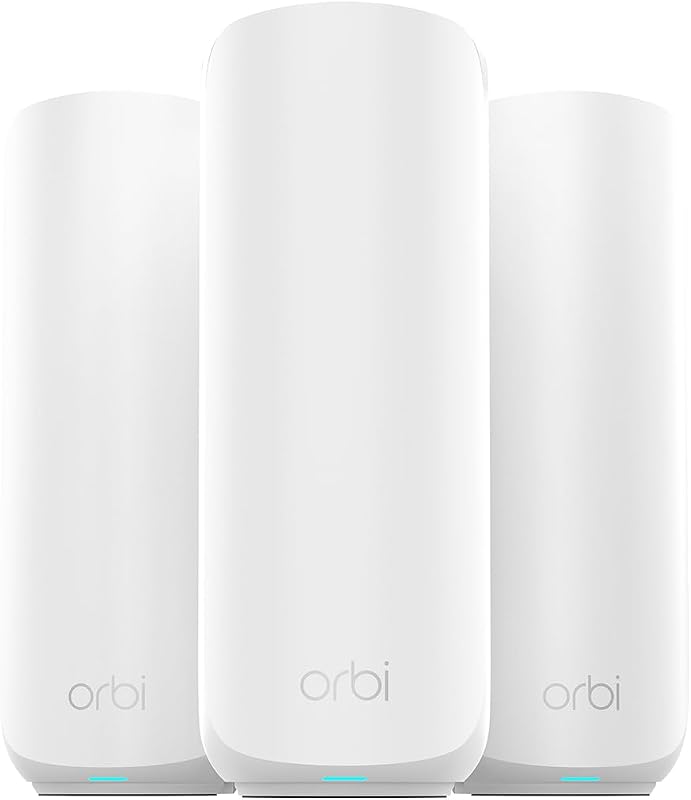
Shoppers who are looking for higher throughput limits and multi-gigabit hardware capabilities should evaluate the Up to 5 Gbps (NETGEAR Orbi 370 Series WiFi 7 Mesh System, RBE373). This alternative three-pack system includes a router plus two satellite extenders delivering next-generation Wi-Fi 7 speeds up to 5 Gbps, a dedicated 2.5 Gig port, support for up to 70 devices, and coverage reaching up to 6,000 square feet, making it a stronger match for users who subscribe to multi-gigabit broadband plans and prioritize extreme wireless bandwidth.
FAQ 298 words
Does the TP-Link Deco X55 support wired ethernet backhaul?
Yes, all three nodes in the TP-Link Deco X55 three-pack support wired Ethernet backhaul. You can connect the satellite nodes directly to the primary node or through an unmanaged network switch using standard Ethernet cables, which frees up the entire 5 GHz wireless spectrum exclusively for client devices and delivers lower latency.
Can the TP-Link Deco X55 handle competitive online gaming?
The Deco X55 can handle competitive online gaming effectively, particularly when you take advantage of its Quality of Service (QoS) settings to prioritize your gaming console or PC. For optimal performance with minimal jitter, connecting your gaming hardware directly into one of the three gigabit ports on any Deco node is recommended.
How many devices can connect to the TP-Link Deco X55 three-pack?
The TP-Link Deco X55 three-pack is engineered to maintain simultaneous connections for up to 150 devices. This makes it well suited for modern households packed with smart home peripherals, security cameras, mobile phones, streaming TVs, and computers operating on both the 2.4 GHz and 5 GHz frequency bands.
Does the TP-Link Deco X55 replace my existing internet modem?
No, the Deco X55 is a router and mesh Wi-Fi system, not a modem. For most internet service providers, such as Comcast, Spectrum, AT&T, Verizon, and Cox, you will still need a separate broadband modem or optical network terminal (ONT) to translate your incoming internet signal before connecting it to the primary Deco unit.
What security features are included with TP-Link HomeShield?
The standard, no-cost version of TP-Link HomeShield included with the Deco X55 provides basic network security scans to identify potential vulnerabilities, Quality of Service (QoS) controls to prioritize bandwidth for critical devices, and parental controls to manage screen time and block inappropriate web content across connected profiles.
The other listings this review names
-

NETGEAR Orbi 370 Series WiFi 7 Mesh System, Up to 6,000 sq ft., 3 Pack
4.5/5 Amazon buyer average 3 spec fields





