xTool M2 Color Craft Laser Cutter & Engraver: Complete Breakdown
Julia Ellery 25 Oct 2026 9 min read ASIN B0GSVVSJXT
This product against the Tools & Outdoors median
| Figure | This product | Category median | Where it sits |
|---|---|---|---|
| Our score Our score, out of 10. | 9.2/10 | 9.0/10 n=197 | 2% higher than the median |
| Spec fields published How many attributes the seller fills in on the listing. | 4 | 5.0 n=198 | 20% fewer than the median |
Medians are taken across the 198 published reviews in Tools & Outdoors; n on each row is how many of them publish that figure. The notch on every bar marks the median, so a fill reaching past the notch sits above it. Scores are out of 10, based on listed specifications and buyer feedback.

- Brand
- xTool
- Our score
- 9.2/10
- Spec fields
- 4 attributes on the listing
As Amazon Associates, we earn from qualifying purchases. This means we may receive a small commission at no extra cost to you if you click through and make a purchase.
Choosing the right hybrid fabrication tool requires balancing raw power, optical accuracy, and creative flexibility. If you are researching the xTool M2 color craft laser cutter and engraver, you are likely looking for a single desktop machine capable of both full-color printing and precision cutting without requiring two separate devices. This specific package configuration combines the M2 basic chassis with an integrated CMYK inkjet printer head and the RA3 Lite rotary tool, engineered specifically to streamline multi-step crafts like custom stickers, detailed leather goods, and personalized home decor. For makers aiming to eliminate the alignment friction between traditional printing and laser contouring, this system provides an all-in-one desktop production center that delivers on both fronts.
In this comprehensive evaluation, we break down every technical specification, safety rating, and design choice behind this hybrid fabrication hardware. We examine how the 20000mW diode module interacts with the four-color inkjet head, assess how the dual-camera positioning system automates layout alignment, and evaluate whether the enclosed chassis provides adequate protection for home workshops. You will also discover how the machine manages workflow demands across various organic substrates, how it stacks up against competing alternatives on the market, and whether its hardware configuration aligns with your creative ambitions.
What You Get With the xTool M2 116 words

The standard package bundle for this model delivers an integrated ecosystem designed to handle two-dimensional printing, flatbed cutting, and curved rotary engraving directly out of the box.
- xTool M2 hybrid base unit featuring a fully enclosed Class 1 safety chassis with real-time process monitoring
- 20W (20000mW output) high-power diode laser module for cutting and deep surface engraving
- CMYK inkjet printing module engineered for direct-to-material full-color transfer
- RA3 Lite rotary attachment designed for cylindrical and curved workpiece engraving
- Built-in dual-camera optical capture system integrated with Automatic Coordinate System (ACS) vision control
- Access to beginner-friendly xTool Studio design software featuring customizable templates and an integrated AI image generation engine
- Manufacturer documentation and standard 1-year product warranty coverage
Key Specifications 78 words
Attribute Specification Detail
- Manufacturer
- Makeblock Co., Ltd.
- Item Model Number
- MLM-K610-001
- Laser Optical Output Power
- 20W (20000mW)
- Printing Technology
- CMYK Inkjet Integration
- Included Rotary Tool
- RA3 Lite Rotary
- Safety Classification
- Class 1 Enclosed Laser System
- Vision System
- Dual Cameras with ACS Motion Control
- Package Dimensions
- 27.5 x 24.88 x 10.75 inches
- Item Weight
- 41.7 pounds
- Warranty Coverage
- 1 Year
Fields the seller filled in on the Amazon listing (4)
- Color
- M2 Basic + CMYK Inkjet + RA3 Lite
- Size
- 20W
- Product Group
- Home
- Binding
- Office Product
CMYK Inkjet and Laser Integration in Practice 240 words
The central innovation of this machine lies in its synchronized print-and-cut architecture. Traditional craft workflows usually demand printing graphic elements on a standard tabletop inkjet printer, manually carrying the printed sheet to a laser cutter, and laboriously calibrating registration marks to avoid misaligned borders. The xtool m2 cmyk inkjet module integrates directly into the gantry alongside the optical laser path, establishing a unified hardware path where full-color imagery and structural cuts execute within the exact same coordinate system.
By synchronizing inkjet deposition with the xtool m2 20w laser engraver, the machine expands practical prototyping capabilities across more than 300 compatible materials. Makers working on cardstock, felt, veg-tan leather, unfinished timber, and fabric can print vivid color designs and immediately follow up with vector contours without moving the workpiece. This streamlined xtool m2 print and cut mechanism eliminates the cumulative registration drift that commonly ruins delicate projects, making it uniquely efficient for sticker production, bespoke jewelry components, and complex multi-layered display pieces.
While the standard configuration ships with the 20W optical diode head, the gantry is engineered to support interchangeable toolheads. Crafters who require microscopic metal marking or specialized surface modification can swap to an optional 3W infrared module, though the listing confirms that this infrared head is sold separately. Makers who have compared dedicated diode platforms like the xTool S1 20W will recognize the distinct practical advantage of incorporating liquid ink dispensing directly onto the same linear rail system.
Dual Cameras and Vision Guided Alignment 234 words
Precision placement on bespoke blanks is often where desktop laser workflows falter, which is why the inclusion of an xtool m2 dual camera array plays a critical role in daily operation. Standard single-camera overhead setups frequently suffer from optical barrel distortion near the perimeter of the bed, forcing operators to execute manual test burns or rely on physical alignment jigs. The dual-lens optical configuration on this unit mitigates parallax errors by capturing multiple vantage points across the bed surface, generating a flattened, real-time photographic preview within the control software.
This imaging suite is managed by an integrated Automatic Coordinate System (ACS) that merges optical computer vision with the internal stepper motor drivers. The resulting “Place & Go” workflow allows users to drop organic workpieces—such as natural wood slices, irregular leather cuts, or premade gift tags—anywhere on the working grid. The software automatically detects the position and orientation of the material, mapping vector cutting lines and raster graphics directly over the live preview to virtually eliminate material waste caused by offset calibration mistakes.
This automated alignment is equally valuable when working with curved substrates mounted on the included xtool m2 rotary ra3 lite accessory. By feeding real-time geometric visual data back into the processing canvas, the camera configuration reduces the calculation time needed to wrap continuous graphic banners around tumblers, wooden rolling pins, or glassware, ensuring consistent positioning without tedious manual measurement steps.
Enclosed Class 1 Laser Safety and Workshop Usability 204 words
Working with high-output laser equipment inside a home, school, or residential studio requires rigorous safety controls. Operating as a certified xtool m2 class 1 laser system, this machine incorporates a rigid, fully enclosed chassis that keeps dangerous optical radiation contained within the processing bay during active operation. The protective shell shields users from scattered 455nm blue diode emissions, allowing safe deployment in living spaces, shared classrooms, or domestic hobby rooms where open-frame gantry cutters present significant eye-hazard liabilities.
Safety is further reinforced through integrated real-time system monitoring. Sensors actively observe operational parameters to detect abnormal conditions, pausing both laser firing and mechanical gantry travel should a fault or physical disturbance occur. This continuous oversight is a crucial safeguard when running high-density cutting passes on flammable media such as balsa, corrugated cardboard, or synthetic felts, giving hobbyists reliable protection against common thermal hazards.
The trade-off for this protective enclosure is its physical footprint. Weighing 41.7 pounds and measuring 27.5 x 24.88 x 10.75 inches in its shipping configuration, the machine demands a dedicated, structurally sound workbench. It cannot be easily stowed in a standard cabinet between sessions, so prospective buyers should plan a permanent station equipped with adequate clearance for opening the top lid and connecting appropriate extraction ventilation hoses.
Software Ecosystem and Material Adaptability 219 words
Hardware capability is only as effective as the software driving it, and the xTool Studio application serves as the operational nerve center for this machine. The software suite provides hundreds of preconfigured project templates and an integrated AI image generation tool designed to transform text prompts into laser-ready vector paths and raster graphics within minutes. This beginner-accessible environment bypasses the steep learning curves typically associated with third-party industrial machine code generators, making the unit readily productive right after unboxing.
Material flexibility represents another strong technical pillar. The 20W diode laser produces an ample 20000mW of optical energy, capable of cleanly severing dense natural hardwoods, slicing through multi-layer felt, and carving crisp patterns into tooling leather. Combined with the water-based CMYK printhead, the platform allows makers to develop complex multi-stage projects—such as full-color wooden jigsaw puzzles, painted structural model kits, and customized canvas patches—that would otherwise demand multiple standalone tools and prolonged finishing steps.
For small-scale commercial artisans who also follow heavy-duty dual-source platforms like the xTool F2 Ultra 60W MOPA & 40W diode dual laser engraver, the M2 represents a uniquely craft-centric design branch. Rather than chasing industrial galvanic marking speeds on bare metals, the M2 optimizes its mechanical layout for color application and mixed-media fabrication across organic surfaces, making it uniquely practical for home-based boutique businesses.
xTool M2 Pros and Cons 56 words
Pros
Pros
- Synchronized CMYK inkjet and 20W laser system
- Certified Class 1 fully enclosed safety chassis
- Dual-camera workspace preview with ACS motion control
- Includes RA3 Lite rotary tool in box
- Processes over 300 compatible craft materials
- Beginner-friendly xTool Studio with AI image tools
Cons
- Heavier unit at 41.7 pounds
- 3W infrared module sold separately
- Large footprint requires dedicated table space
Is the xTool M2 Worth It 213 words
Evaluating whether the xtool m2 for diy crafts fits your workshop comes down to the diversity of your creative output. If your projects rely exclusively on monochrome line art, simple stencil slicing, or vector wood signage, a conventional standalone laser cutter will provide adequate cutting power without the added complexity of ink cartridges and printhead maintenance. However, if your creative ideas regularly combine vivid, photorealistic imagery with dimensional material cutting, investing in this synchronized platform eliminates hundreds of hours spent aligning separate print runs and manual templates.
For boutique small-business owners, craft fair vendors, and active hobbyists, the inclusion of the RA3 Lite rotary tool and the CMYK print system turns the machine into a comprehensive gift-production station. The ability to fabricate full-color leather luggage tags, customized cylindrical drinkware, vibrant holiday ornaments, and custom sticker sheets from a single software window delivers strong functional value that standalone open-frame engravers simply cannot match.
When reviewing the comprehensive xtool m2 specs against competing enclosed fabrication devices such as the Creality Falcon 2 Pro 40W, the defining factor remains the M2’s printhead integration. Users who purely need maximum raw cutting thickness might look toward higher-wattage industrial diode heads, but crafters seeking true full-color multimedia fabrication will find the xTool M2 in a class of its own.
Other Options to Consider 131 words
130 x 130mm Working Area suits hobbyists who have severe desk space limitations or only need to engrave small novelty tokens, featuring a much lower 2500mW laser output designed for basic wood and acrylic etching rather than heavy-duty mixed-media cutting.

BlazeX M3 10W Laser Engraver provides an alternative Class 1 enclosed setup with an included honeycomb bed and 0.01mm precision, making it an appealing option for beginners who want a lower-powered 10W laser for basic wood, metal, glass, and leather projects without color printing capabilities.
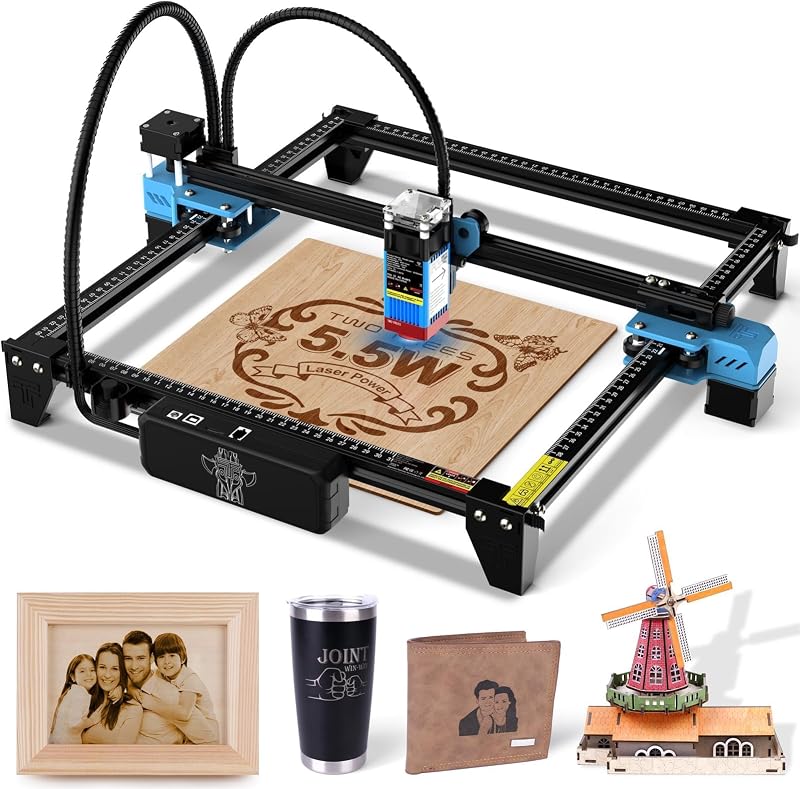
Laser Cutter caters to makers who prioritize an open 300 x 300 mm workspace with a 5500mW laser spot for traditional DIY engraving on wood, metal, and glass, offering a straightforward, bare-bones gantry frame for those who do not require an enclosed housing or inkjet module.
FAQ 235 words
What materials can the xTool M2 process?
The system is rated to process more than 300 materials. Key supported media highlighted by the manufacturer include cardstock, felt, leather, wood, fabric, and paper, accommodating both full-color inkjet printing and 20W laser cutting or engraving.
Is the xTool M2 safe for indoor home use?
Yes. The machine carries a certified Class 1 laser safety classification, which means the optical beam operates entirely within a fully enclosed chassis with integrated real-time monitoring to prevent dangerous optical emissions during operation.
Can the laser module on the machine be upgraded or swapped?
The hardware architecture supports swappable modules. Operators can alternate between the included 20W diode laser head, the CMYK inkjet module, or an optional 3W infrared module, though the manufacturer listing indicates the 3W IR toolhead is sold separately.
Does the package include the rotary attachment for engraving cups?
Yes. This specific configuration includes the RA3 Lite rotary tool in the package, allowing users to mount cylindrical and curved objects for specialized laser engraving directly out of the box.
How does the dual-camera system help prevent wasted materials?
The integrated dual cameras capture a wide, real-time photographic view of the entire processing bed, working alongside the Automatic Coordinate System (ACS) motion controller to allow “Place & Go” positioning. This visual overlay lets users align vector cuts and graphics directly over irregular scrap pieces on their screen prior to firing the laser.
The other listings this review names
-

ACMER S1 Laser Engraver Machine, 2500mW Lazer Cutter for Wood and Acrylic
8.8/10 Our score 5 spec fields
-

-

Twotrees TTS-55 Pro Laser Engraver 5500mW Laser Engraving Machine
9.2/10 Our score 4 spec fields


