Google Nest Wifi Point Review: Performance for Streamers
Robert Thackeray 23 Nov 2026 8 min read ASIN B081B4W9FQ
This product against the Electronics median
| Figure | This product | Category median | Where it sits |
|---|---|---|---|
| Our score Our score, out of 10. | 8.8/10 | 8.8/10 n=84 | level with the median |
| Spec fields published How many attributes the seller fills in on the listing. | 6 | 6.0 n=85 | level with the median |
Medians are taken across the 85 published reviews in Electronics; n on each row is how many of them publish that figure. The notch on every bar marks the median, so a fill reaching past the notch sits above it. Scores are out of 10, based on listed specifications and buyer feedback.

- Brand
- Our score
- 8.8/10
- Spec fields
- 6 attributes on the listing
As Amazon Associates, we earn from qualifying purchases. This means we may receive a small commission at no extra cost to you if you click through and make a purchase.
When wireless dead zones and buffering disrupt living room entertainment or casual gaming sessions, installing a Google Nest Wifi Point provides an accessible way to reinforce home network coverage. This dedicated add-on node is engineered specifically to extend an existing Nest Wifi network rather than operate as a standalone primary router, requiring an established Nest Wifi router connected to your broadband modem to function. For entertainment enthusiasts seeking stable signals across distant bedrooms, basements, or backyard patios, this satellite unit offers an integrated solution combining mesh expansion with an ambient smart speaker.
In this review, we examine the practical networking capabilities of this expansion node, covering real-world coverage limits, bandwidth handling across dense device clusters, and software management features. We also analyze how the node manages demanding activities such as 4K video playback and online gaming, while assessing its setup workflow and hardware trade-offs to help you decide if it fits your home setup.
What You Get With the Google Nest Wifi Point 94 words

The retail package delivers a single mesh expansion satellite designed to integrate cleanly into an active Nest ecosystem, providing immediate coverage expansion alongside hands-free voice assistance.
- One Google Nest Wifi Point expansion unit
- Built-in smart speaker powered by Google Assistant
- Wireless network expansion delivering coverage of up to 1600 square feet
- Multi-device capacity capable of managing up to 100 connected devices per node
- Broad hardware compatibility supporting both Nest Wifi routers and legacy Google Wifi systems
- Dual-band mesh connectivity backed by four internal antennas
- High-level router firewall security alongside WPA3 encryption protocols
Key Specifications 88 words
Specification Manufacturer Detail
- Wi-Fi Generation
- Wi-Fi 6
- Frequency Band Class
- Dual-Band
- Data Transfer Rate
- 1 gigabits_per_second
- Coverage Capability
- Up to 1600 square feet per point
- Device Capacity
- Up to 100 connected devices
- Antenna Configuration
- 4 Internal antennas
- Security Protocols
- WPA3, High Router Firewall Security Level
- Integrated Audio
- Built-in smart speaker with Google Assistant
- Port Configuration
- 2 Ports, Gigabit Ethernet LAN bandwidth
- Operating System
- Custom Networking OS
Fields the seller filled in on the Amazon listing (6)
- Color
- Snow
- Size
- One Pack
- Dimensions
- 4.02 x 4.02 x 3.43 inches
- Weight
- 0.77 Pounds
- Product Group
- Personal Computer
- Binding
- Electronics
Google Nest Wifi Point Range and Wireless Mesh Coverage 229 words
Evaluating the google nest wifi point range requires understanding how modular mesh systems distribute radio frequency signals across architectural obstacles. The manufacturer specifies that a single unit adds coverage of up to 1600 square feet to an existing deployment. In typical domestic environments, the effective nest wifi point coverage helps eliminate problematic dead spots situated behind drywall, framing, and interior doors. By communicating directly with the primary router, the node acts as a signal bridge that maintains a consistent wireless footprint across secondary living areas, home offices, and entertainment rooms.
Physical home characteristics fundamentally shape the propagation of dual-band frequencies. Structural elements such as reinforced concrete, brick fireplaces, dense insulation, and long, narrow floor plans can weaken RF penetration and attenuate signal quality before it reaches client devices. In larger or compartmentalized properties, deploying multiple points may be necessary to construct an overlapping wireless blanket. Those who require dense coverage across specialized architectural layouts often compare these configurations against commercial alternatives like the unifi u7 mesh to address complex spatial challenges.
Reliable whole-home roaming represents another key strength of the underlying mesh system. As users move between rooms on active video calls or handheld consoles, the system intelligently coordinates handoffs behind the scenes to maintain an uninterrupted signal. This seamless transition prevents the manual network-switching delays common with traditional single-band repeaters, providing a coherent network identity throughout the coverage perimeter.
Nest Wifi Point Performance for Streaming and Gaming 227 words
When measuring nest wifi point performance, media consumption and entertainment workloads serve as the primary performance metrics. The manufacturer specifies that each router and point handles enough throughput to stream multiple 4K videos at a time while accommodating up to 100 connected devices simultaneously. Deploying the nest wifi point for streaming ensures high-bitrate media platforms maintain stable playback buffers without constant drops in visual resolution, provided the upstream broadband connection supplies sufficient base speed.
Utilizing the nest wifi point for gaming presents distinct performance considerations compared to media playback. While passive 4K streaming relies on substantial data buffering to smooth out transient packet loss, competitive gaming requires low latency and minimal jitter. The hardware operates on dual-band Wi-Fi with internal antenna arrays designed to prioritize connection stability, though running latency-sensitive multiplayer matches over wireless mesh hops inherently introduces more packet variance than direct copper infrastructure. Enthusiasts seeking dedicated enterprise-tier radio architectures often examine high-throughput access points like the unifi u6 pro access point when low latency is the paramount objective.
Network saturation is further mitigated by automated traffic routing that functions quietly in the background. The custom networking operating system monitors band utilization and dynamically routes client traffic to prevent congestion bottlenecks. In households populated by dozens of smart bulbs, background mobile downloads, and concurrent entertainment streams, the node prevents high-volume background tasks from overwhelming primary interactive tasks.
Smart Integration and Nest Wifi Point Setup Workflow 220 words
The nest wifi point setup procedure is engineered around an app-guided onboarding sequence compatible with most modern internet service providers. Users configure the hardware through the mobile application, which detects the unconfigured node, links it to the active Nest Wifi router, and tests placement quality relative to the primary base station. The app also consolidates network administrative tasks, allowing administrators to rapidly create guest networks, share credentials, and configure family safety controls to govern screen time limits.
A distinctive functional component is the integrated nest wifi point google assistant smart speaker. Incorporating dedicated voice controls directly into networking nodes reduces physical clutter on desks and side tables by merging voice assistance and Wi-Fi hardware into one enclosure. Users can manage connected smart home peripherals, play audio content, and execute verbal network maintenance commands, such as checking connection stability or temporarily muting internet access on targeted client hardware.
System maintenance is automated through silent, periodic software updates. The device retrieves firmware revisions and security patches independently, ensuring that firewall parameters and WPA3 security protections remain up to date without requiring manual reboots or administrative intervention. For households balancing connected smart home gadgets with casual entertainment hardware, this hands-off maintenance model eliminates the operational friction typical of traditional network management, matching the convenience found in standalone routing solutions like the unify express 7.
Hardware Connectivity and Port Configuration Considerations 197 words
A detailed review of the nest wifi point specs highlights the hardware choices made to balance smart functionality with physical form factor. The unit features four internal antennas alongside integrated Bluetooth wireless compatibility used for onboarding and peripheral communication. Driven by custom networking software, the node supports dual-band operations with high-level firewall capabilities, ensuring network integrity against unauthorized entry points while delivering a 1 gigabits_per_second data transfer rate rating.
Physical cabling options require careful verification during deployment planning. While the listing specifications indicate the presence of 2 ports with Gigabit Ethernet bandwidth, many buyers evaluating a nest wifi point ethernet port deployment prefer entirely wireless positioning to eliminate cable clutter. Placing an expansion satellite in rooms without pre-installed network jacks allows the internal radios to establish a robust wireless backhaul directly to the main router without stringing patch cables across hallways.
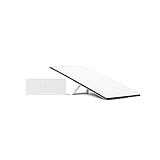
The physical footprint remains intentionally unobtrusive to facilitate placement on exposed surfaces like countertops, open shelving, and nightstands. Because wireless transmission efficiency diminishes when hardware is hidden inside metal media cabinets or behind thick entertainment consoles, the clean, speaker-style aesthetic encourages placement out in the open, which directly improves wireless radiation patterns and microphone pickup accuracy.
Google Nest Wifi Point Pros and Cons 48 words
Pros
Pros
- Adds up to 1600 square feet coverage
- Handles up to 100 connected devices
- Integrated Google Assistant smart speaker
- Supports multiple concurrent 4K video streams
- Automatic security updates with WPA3 protection
Cons
- Requires separate Nest Wifi router to operate
- Maximum upstream data transfer rate capped at 1Mbps
Is the Google Nest Wifi Point Worth It 185 words
Determining whether the Google Nest Wifi Point is worth it depends on your existing home infrastructure and daily usage requirements. If you already own an active Nest Wifi or Google Wifi router and need to push reliable Wi-Fi coverage across an extra room or dead zone, this add-on satellite is an effective option. Its integrated smart speaker adds daily utility for voice commands and music playback, making it especially practical in central living areas, kitchens, and master bedrooms.
Conversely, users looking for a complete, out-of-the-box routing solution must remember that this unit cannot operate as an independent modem-router gateway. Demanding competitive gamers who insist on wired backhauls throughout their property or multi-gigabit enterprise controls may find the consumer-focused mesh architecture less flexible than dedicated commercial access points. For typical entertainment households, however, the balance of simple app management, steady 4K streaming throughput, and voice capabilities delivers clear lifestyle value.
Ultimately, this device fulfills its purpose as an expansion tool for broader Google-centric smart homes. It relieves wireless dead zones, provides consistent streaming performance across multiple screens, and requires virtually no administrative maintenance after initial deployment.
Other Options to Consider 84 words
WiFi 6 Dual Band suits power users seeking business-grade infrastructure, featuring Omada AX3000 wireless access point management, PoE power flexibility, and WPA3 enterprise roaming for structured IT layouts.

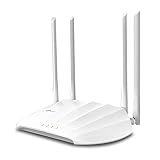
Desktop WiFi Bridge fits budget-minded shoppers looking for a standalone AC1200 dual-band access point equipped with four fixed external antennas and multi-SSID range extender modes.
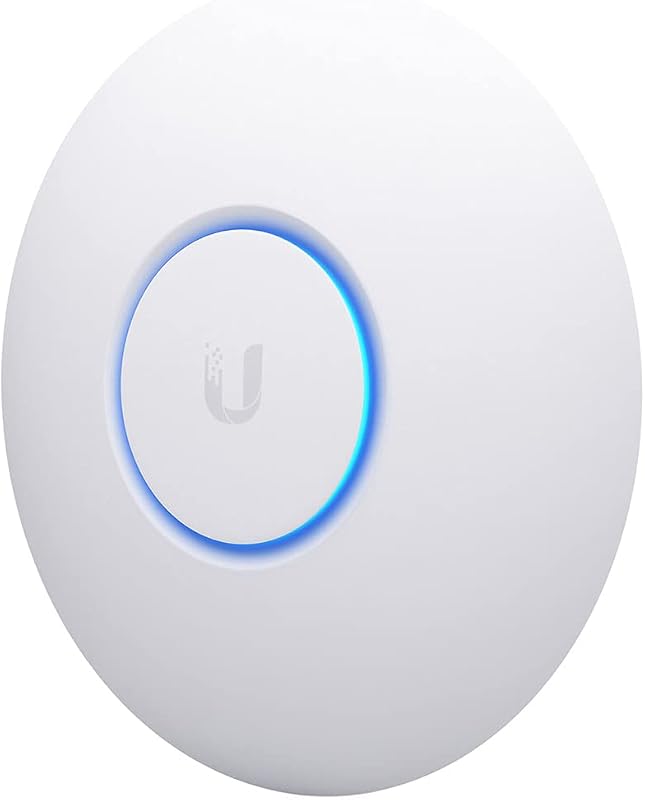
Ubiquiti UniFi nanoHD Compact 802.11ac caters to enterprise environments and advanced home labs needing Wave2 MU-MIMO high-density throughput powered by the UniFi management platform.
FAQ 176 words
Does the Google Nest Wifi Point work as a standalone router?
No, the listing specifies that the Nest Wifi Point requires a Nest Wifi router, sold separately, which connects directly to your internet provider’s modem to establish the primary network.
Can the Nest Wifi Point support multiple 4K video streams simultaneously?
Yes, the hardware is built to stream multiple 4K videos at a time and can handle up to 100 connected devices per node, assuming your underlying broadband connection provides sufficient bandwidth.
What smart features does the built-in speaker provide?
The integrated Google Assistant speaker allows you to manage network functions, play audio content, control compatible smart home gear, and receive answers to verbal queries using voice commands.
Is the Nest Wifi Point compatible with older Google Wifi hardware?
Yes, the manufacturer states that the Nest Wifi system maintains backwards compatibility with original Google Wifi devices.
How much physical area does a single point cover?
Each point adds up to 1600 square feet of coverage, though actual range varies depending on home construction materials, layout, and wall thickness.
The other listings this review names
-

Omada AX3000 Wireless Access Point, w/DC Adapter, 5yr Warranty(EAP650)
8.8/10 Our score 6 spec fields
-
TP-Link TL-WA1201, AC1200 Dual Band Wireless Gigabit Access Point
8.6/10 Our score 5 spec fields
-

Ubiquiti UniFi nanoHD Compact 802.11ac Wave2 MU-MIMO Enterprise Access Point ( UAP-NANOHD-US)
8.6/10 Our score 6 spec fields