TP-Link Deco XE75 AXE5400 Analysis: Tri-Band WiFi 6E Mesh for Gamers
Robert Thackeray 30 Oct 2026 10 min read ASIN B0B88T5RDY
This product against the Electronics median
| Figure | This product | Category median | Where it sits |
|---|---|---|---|
| Our score Our score, out of 10. | 9.8/10 | 8.8/10 n=65 | 11% higher than the median |
| Spec fields published How many attributes the seller fills in on the listing. | 6 | 6.0 n=65 | level with the median |
Medians are taken across the 65 published reviews in Electronics; n on each row is how many of them publish that figure. The notch on every bar marks the median, so a fill reaching past the notch sits above it. Scores are out of 10, based on listed specifications and buyer feedback.

- Brand
- TP-Link
- Our score
- 9.8/10
- Spec fields
- 6 attributes on the listing
As Amazon Associates, we earn from qualifying purchases. This means we may receive a small commission at no extra cost to you if you click through and make a purchase.
Network congestion, packet drops, and sudden latency spikes are the most frustrating obstacles when playing competitive online games or streaming uncompressed high-bitrate media. The TP-Link Deco XE75 arrives as an accessible entry point into the WiFi 6E tier, engineered specifically to eliminate local wireless interference by deploying a newly available 6 GHz radio band. If your living space suffers from dead zones or performance throttling every time someone launches a high-bandwidth download, this tri-band system claims to restore stability by isolating inter-node traffic on an exclusive wireless frequency. For households balancing cloud gaming, console downloads, and continuous 4K video streams, evaluating how the tp-link deco xe75 axe5400 performs across varied home layouts is the first step toward determining if it belongs in your setup.
In this review, we examine the practical architecture behind the TP-Link Deco XE75 3-pack to determine whether its real-world capabilities align with the demands of enthusiasts. We break down the hardware specifications, analyze how the dedicated 6 GHz backhaul influences jitter and responsiveness, assess total system coverage across 7,200 square feet, and walk through app-based traffic management tools like Quality of Service. By comparing its internal specifications and physical port limits against other mesh platforms, this analysis outlines exactly what buyers should anticipate before upgrading their existing routing gear.
What You Get With the TP-Link Deco XE75 162 words

The TP-Link Deco XE75 package is designed to replace standalone wireless routers and conventional range extenders with three matching nodes that collaborate under a single unified network name. The hardware configuration emphasizes seamless roaming, simple setup, and dedicated spectrum allocation right out of the box.
- Three TP-Link Deco XE75 tri-band mesh nodes providing up to 7,200 square feet of coverage
- Access to the newly opened 6 GHz frequency band alongside standard 5 GHz and 2.4 GHz bands
- Aggregated theoretical transmission speeds reaching up to 5,400 Mbps across connected endpoints
- Nine auto-sensing Gigabit Ethernet ports with three interfaces allocated to each physical node
- AI-Driven Mesh software that evaluates the wireless environment to optimize client roaming paths
- Integrated TP-Link HomeShield suite featuring network security scans, IoT protection, and Quality of Service
- CISA Secure-by-Design certified firmware incorporating advanced firewall and WPA3 security protocols
- Universal compatibility with primary internet service providers when connected to a standalone modem
- Amazon Alexa voice integration for quick control over guest access settings
Key Specifications 108 words
Feature Specification Details
- Wi-Fi Generation
- WiFi 6E (802.11ax/ac/n/g/b)
- Frequency Bands
- Tri-Band (6 GHz, 5 GHz, 2.4 GHz)
- Max Data Transfer Rate
- 5,400 Mbps (6 GHz: 2402 Mbps, 5 GHz: 2402 Mbps, 2.4 GHz: 574 Mbps)
- Advertised Coverage
- Up to 7,200 square feet (3-pack configuration)
- Maximum Device Capacity
- Up to 200 connected clients
- Installed System RAM
- 512 MB
- Ethernet Interfaces
- 9 Gigabit ports (10/100/1000 Mbps; 3 per node)
- Wireless Security
- WPA-Personal, WPA2-Personal, WPA3-Personal
- Antenna Configuration
- Internal antennas optimized for gaming and whole-home reach
- Management Platform
- Deco Mobile App and Alexa Voice Controls
Fields the seller filled in on the Amazon listing (6)
- Color
- Black and White
- Size
- 3 Pack
- Dimensions
- 4.13 x 4.13 x 6.65 inches
- Weight
- 3.5053499658 Pounds
- Product Group
- Personal Computer
- Binding
- Electronics
Dedicated 6 GHz Backhaul and Gaming Latency Performance 264 words
In a standard mesh deployment, latency spikes frequently occur when secondary satellites share transmission channels with active phones, laptops, and smart appliances. The primary technical appeal of the tp-link deco xe75 for gaming is its tri-band design, which leverages the pristine 6 GHz spectrum. Out of the box, the Deco XE75 designates the 6 GHz band as a dedicated wireless backhaul pipe running 160 MHz channel widths at speeds up to 2402 Mbps. Because older generation hardware cannot see or connect to this frequency, the backhaul pipeline operates entirely free of legacy broadcast interference.
For gamers sensitive to packet stability, this isolated transmission highway translates directly to minimized deco xe75 latency. When your desktop or gaming console communicates with a remote Deco satellite, the signal travels across the standard bands to the node, which immediately shuttles the data across the clean 6 GHz channel back to the primary gateway. Unlike older dual-band options such as the tp link deco x55 where backhaul traffic must actively compete with client data on the 5 GHz band, the XE75 maintains a stable highway that significantly reduces jitter and ping drift during high-load gaming sessions.
Flexibility is also engineered into the wireless architecture. If you own modern gaming laptops or smartphones equipped with WiFi 6E network cards, you can switch the 6 GHz radio mode inside the management software from a pure backhaul to an open client network. This allows supported devices to connect directly to the 6 GHz channel. While doing so introduces some shared airtime between the backhaul and your devices, it grants local endpoints access to pristine, interference-free frequencies that bypass neighborhood congestion.
Tri-Band Throughput and Multi-Device Capacity 233 words
Looking closely at the tp-link deco xe75 specs reveals a total aggregate bandwidth ceiling of 5,400 Mbps distributed across three independent spectrum paths. The 2.4 GHz band provides up to 574 Mbps, which is best reserved for smart home accessories, environmental sensors, and background audio gear. The 5 GHz band offers up to 2402 Mbps using wide HE160 channel support for traditional consoles, tablets, and media streamers, while the 6 GHz band adds an identical 2402 Mbps ceiling. This balanced distribution guarantees that high-speed downloads do not starve background devices of necessary operational bandwidth.
Managing up to 200 simultaneous client connections requires reliable hardware processing, and each Deco XE75 node houses 512 MB of installed RAM to handle internal routing tables. Heavy entertainment hubs that run simultaneous cloud gaming, 4K video streams, and multiple security cameras place severe demands on memory buffers. The onboard memory ensures the tp-link deco xe75 tri-band performance remains stable under concurrent streams, preventing buffer bloat and connection dropped states during high-concurrency peak hours.
To further refine internal traffic flow, the platform incorporates Quality of Service (QoS) controls directly through its firmware. By assigning priority flags to your primary gaming rig or media server, the Deco system ensures those packets skip ahead of non-urgent background tasks. Users who require extreme multi-gigabit routing beyond standard Gigabit thresholds often look toward enterprise-grade platforms like the tp link be95, but for typical gigabit residential broadband, the XE75 manages resource sharing efficiently.
Coverage Realities and Range Testing Expectations 227 words
The three-pack configuration of the Deco XE75 is rated to blanket spaces up to 7,200 square feet, making it a capable solution for multi-story homes, ranches, and properties with detached garages. However, real-world execution during a tp-link deco xe75 range test depends heavily on the physical environment and structural materials. While lower frequencies like 2.4 GHz penetrate drywall and wood framing with ease, the newly integrated 6 GHz frequency features shorter wavelengths that attenuate rapidly when passing through thick concrete, brick, or steel support beams.
To maximize coverage across a sprawling floor plan, node placement must be approached methodically. Because the internal antenna arrays are integrated cleanly inside the cylindrical chassis, placing nodes out in open hallways or on elevated shelves yields significantly better wireless backhaul performance than hiding them inside entertainment cabinets. The system uses an AI-driven mesh algorithm that evaluates path losses and client signal strength, continuously recalculating connection routes so roaming mobile devices transition smoothly between nodes without manual network reconnects.
If physical architectural barriers severely obstruct the 6 GHz wireless link, the Deco XE75 supports hybrid backhaul setups. With three physical Gigabit Ethernet ports on every node, you can connect nodes directly using Ethernet cabling while keeping the 6 GHz frequency completely dedicated to local client access. This hybrid flexibility ensures that homes with difficult layouts can achieve low latency across distant rooms without compromising overall system throughput.
Deco App Setup and Network Security Management 225 words
Getting the mesh system up and running is streamlined through the deco xe75 wifi 6e mesh setup process within the dedicated mobile app. After connecting the primary node to your modem via an Ethernet cable, the Deco application walks you through step-by-step visual instructions to detect the node, establish administrative credentials, and broadcast your unified network identifier. Integrating the two secondary nodes is equally straightforward, as powering them on within proximity of the gateway allows the system to pair them automatically into the mesh topology.
Security is a notable focus for this hardware, highlighted by TP-Link being an official signatory of the U.S. Cybersecurity and Infrastructure Security Agency (CISA) Secure-by-Design pledge. The XE75 operates on secure firmware designed to protect home networks against modern digital vulnerabilities, supporting robust WPA3-Personal encryption alongside backward compatibility for older WPA and WPA2 devices. Advanced router firewall protections actively block common port intrusions to keep endpoint devices isolated from unauthorized external access.
Network maintenance is complemented by the integrated TP-Link HomeShield suite. The standard free tier includes basic network security diagnostics, automated IoT device identification, straightforward parental controls for website filtering, and scheduled usage reports. Handing out temporary connectivity is also simplified via Amazon Alexa compatibility, allowing users to enable or disable the isolated guest network using simple voice prompts without having to navigate deep into administrative menus.
TP-Link Deco XE75 Pros and Cons 57 words
Pros
Pros
- Dedicated 6 GHz band eliminates wireless backhaul interference
- Tri-band capacity supports up to 200 connected devices
- Extensive coverage reaching up to 7,200 square feet
- Three Gigabit Ethernet ports available on every node
- Included HomeShield features and CISA Secure-by-Design certified firmware
Cons
- Ethernet ports limited to 1 Gbps max bandwidth
- 6 GHz wireless frequencies attenuate quickly through dense walls
Is the TP-Link Deco XE75 Worth It 224 words
Determining whether the TP-Link Deco XE75 is the right addition to your entertainment setup hinges on your existing internet tier and current device ecosystem. If you subscribe to a standard gigabit broadband connection and want clean, low-jitter wireless connectivity for competitive gaming and 4K streaming, this hardware delivers exceptional value. The addition of the dedicated 6 GHz backhaul genuinely cleans up inter-node traffic, resolving the congestion and packet fluctuations that plague traditional dual-band mesh systems.
On the other hand, power users who possess multi-gigabit fiber connections exceeding 1,000 Mbps will encounter a hardware ceiling with this system. Because all nine onboard Ethernet ports are standard Gigabit interfaces, the maximum wired throughput entering and leaving any single node cannot exceed 1 Gbps. If your objective is transferring multi-gigabit files locally across a wired network, or feeding a 2.5 Gbps fiber link directly to a workstation, you will want a platform featuring multi-gigabit physical connectivity.
For the vast majority of gaming enthusiasts and media-heavy households, the system offers an outstanding balance of stability, coverage, and usability. When asking is tp-link deco xe75 worth it, the answer is an emphatic yes for anyone living in congested suburban neighborhoods or dense apartment buildings where neighboring 5 GHz networks cause constant interference. By unlocking the clean 6 GHz airwaves without requiring professional installation, the Deco XE75 establishes a rock-solid backbone for high-demand modern home entertainment.
Other Options to Consider 144 words
Up to 6,600 Sq.Ft provides an alternative path for shoppers interested in stepping directly into the WiFi 7 ecosystem. This Deco BE25 dual-band configuration delivers up to 5 Gbps speeds across four streams and features dual 2.5G multi-gigabit ports alongside 240 MHz channel widths and Multi-Link Operation (MLO). It suits users who prioritize high-speed wired backhaul lines and newer WiFi 7 protocols over a dedicated 6 GHz tri-band radio structure.

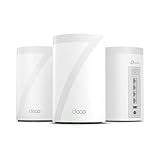
4 x 2.5G Ports Wired represents a significant step up for power users requiring extreme throughput and comprehensive multi-gigabit port switching. Known as the tp-link deco be63 mesh wifi 7 system, this tri-band WiFi 7 platform covers up to 7,600 square feet and features four 2.5G Ethernet ports per node with combined speeds reaching 10 Gbps. It suits enthusiasts who operate high-speed network-attached storage or subscribe to multi-gigabit internet tiers that exceed the Deco XE75’s gigabit port hardware limits.
FAQ 256 words
Can the 6 GHz band on the Deco XE75 be used for client devices?
Yes. While the TP-Link Deco XE75 defaults to utilizing the 6 GHz spectrum as a dedicated wireless backhaul between mesh satellites, the Deco app allows you to reconfigure the band into a standard Wi-Fi network. This enables compatible WiFi 6E laptops, smartphones, and desktop cards to connect directly to the 6 GHz band.
Does the TP-Link Deco XE75 support wired Ethernet backhaul?
Yes. The Deco XE75 supports hybrid network layouts where you can connect the individual nodes together using physical Ethernet cables. When hardwired, inter-node traffic passes through the Gigabit ports, freeing up wireless airtime completely for your connected endpoints.
What internet service providers work with the Deco XE75?
The Deco XE75 is universally compatible with all major internet service providers, including Comcast, Spectrum, AT&T, Verizon, Cox, Frontier, and CenturyLink. For providers using cable or fiber connections, the Deco unit plugs directly into the provider-supplied standalone modem or optical network terminal.
How many total devices can connect to this mesh system?
The system is engineered with 512 MB of memory per node and tri-band processing capable of handling up to 200 connected devices simultaneously across the combined 2.4 GHz, 5 GHz, and 6 GHz spectrums.
What security features are included without paying an extra subscription?
Out of the box, the Deco XE75 includes the free tier of TP-Link HomeShield. This provides basic network security scans, identification of connected IoT smart devices, core parental control website filters, Quality of Service traffic prioritization, and weekly or monthly network health reports.
The other listings this review names
-

Deco 7 Dual-Band BE5000 WiFi 7 Mesh Wi-Fi System 4-Stream 5 Gbps, 240 Mhz
9.6/10 Our score 6 spec fields
-
Deco 7 Pro Tri-Band WiFi 7 BE10000 Whole Home Mesh System 6-Stream 10 Gbps
8.6/10 Our score 6 spec fields